
















Take control of your Collibra homepage experience
Share on:


According to Gartner, organizations that invest in role-based UX see up to 30% faster time-to-value for new platform users — yet most enterprise data platforms still deliver the same generic entry point to every employee, regardless of their role. For data teams managing complex governance programs, a one-size-fits-all homepage is inefficient and a significant barrier to adoption. For a long time, Collibra customers have wanted a way to make the Collibra Platform feel purpose-built from the moment they log in. With the 2026.06 release, that's exactly what we're delivering.
What’s new: Customizable Collibra homepage experience
Today, we’re thrilled to announce a new, fully customizable Collibra Platform homepage experience.
Collibra's 2026.06 release introduces two powerful, complementary homepage capabilities that give administrators unprecedented control over the Collibra Platform's entry point.
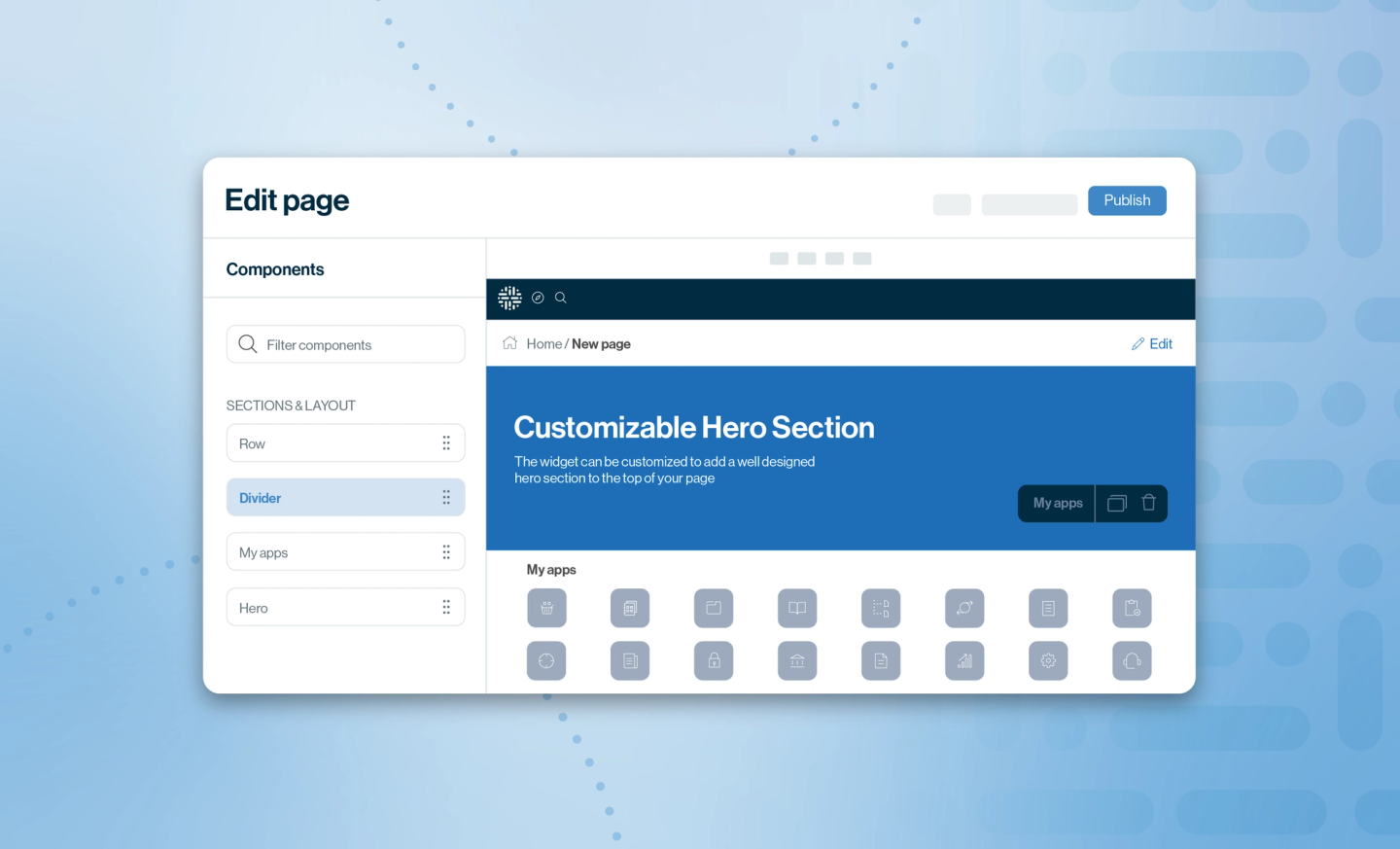
The new homepage experience (public preview) is a fully configurable landing page built on Collibra's page builder. Administrators can design a branded, role-relevant homepage using a rich library of widgets and layout components — no code required. From surfacing key workflows and assets to embedding search bars and governance scorecards, the new homepage transforms Collibra's entry point into a purpose-built experience for every organization.
The custom homepage assignment (GA) goes a step further, enabling administrators to assign any Collibra page — including the new homepage, a Data Marketplace landing page, or a custom dashboard — as the default entry point for specific users, user groups or user roles. These two capabilities work seamlessly together, giving teams the tools to create differentiated, high-impact first impressions at scale.
How the new homepage experience and custom homepage assignment help
Until now, every Collibra user landed on the same default page, whether or not they were a data steward, a business analyst or a first-day hire. Admins had no native way to personalize the experience, and workarounds like renaming dashboards with number prefixes offered only partial relief. As Collibra deployments grow larger, the gap between what users need to see and what they actually land on can increase significantly.
Problem it solves
- Role-based personalization: Data stewards, business analysts and executives can all be served tailored experiences for their specific needs, including taking users directly to the Data Marketplace.
- Improved user onboarding: New users can dive into Collibra exactly where their work requires, instead of relying on self-navigation.
- Branded entry point: Organizations can now reflect their branded data governance program through a custom, branded homepage.
- Make changes without the need of deeper technical skills: Admins can now manage their homepage settings without the dependency of technical admins.
How the new homepage experience and custom homepage assignment work
The new homepage experience is powered by Collibra's page builder and can be enabled directly from Settings > General > Landing Page.
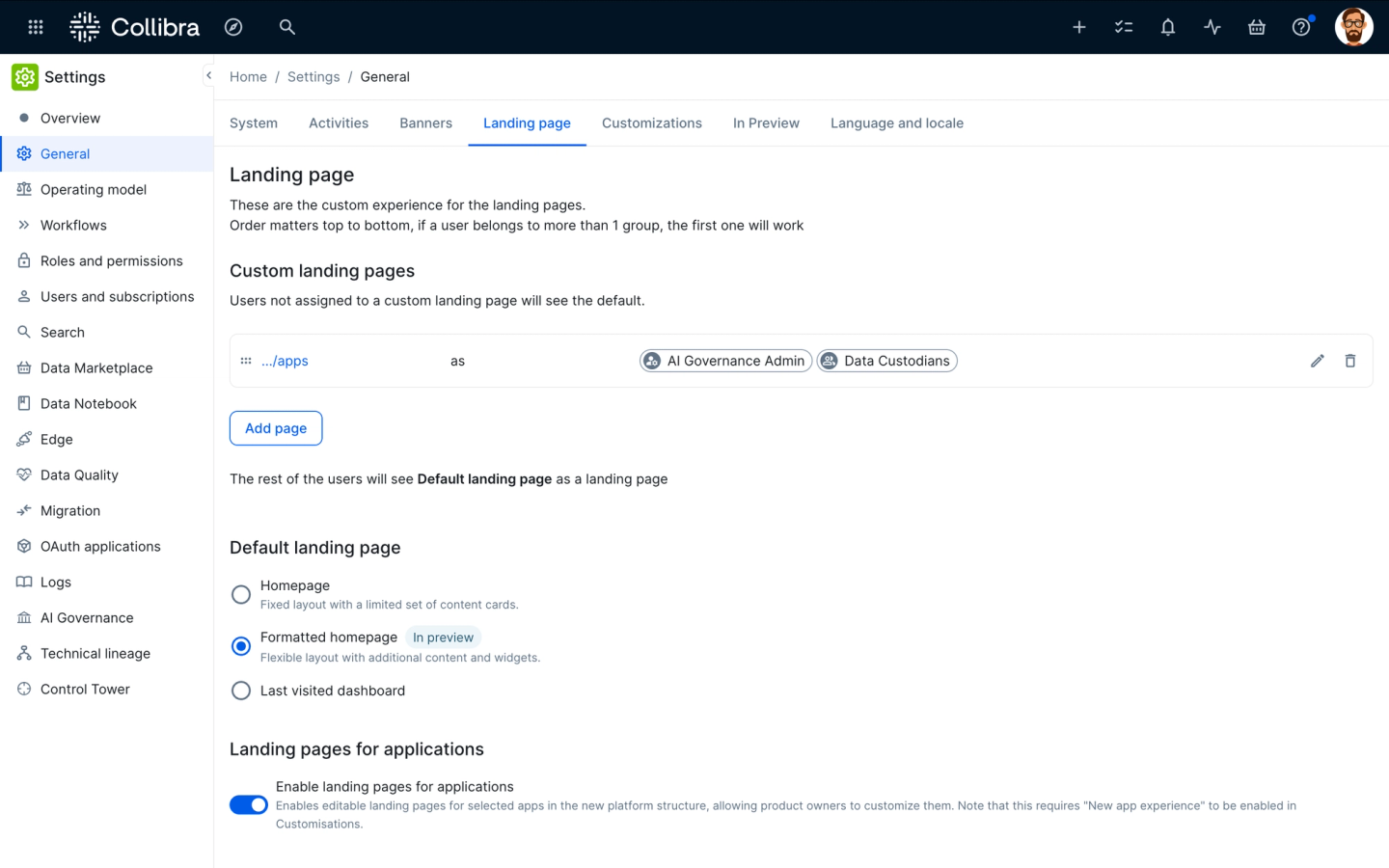
Admins can now easily tailor custom homepage experiences in the Settings menu.
Once the "Formatted homepage" option is selected, administrators can click into edit mode and begin building immediately. The interface is organized into two component types: Sections and Layout (for page structure) and Widgets (for content blocks).
Layout components include a hero banner for branding, rows for multi-column content areas, a My Apps section, My Links for quick navigation tabs, View embeds for live Collibra data, and Dividers for visual hierarchy. Admins can configure column count, proportions, and drag-and-drop row order. Rows support up to four widgets each.
Widgets available in 2026.06 include Counter (governance statistics), Icon Cards and Image Cards (visual navigation tiles), Simple Cards (text-only links), a full-text Search bar with predefined filters, Workflows, Tasks & Issues (personal or team-wide), a rich Text block, and an Embedded iframe for external content. Note: the HTML widget is deferred to 2026.07 with TinyMCE integration.
The page builder includes a draft/preview system — administrators can iterate freely without affecting the live page for end users. Changes go live only when Publish is clicked. The Restore Default button is always available, making experimentation safe and reversible.
Custom homepage assignment — landing page rules
Custom homepage assignment is configured from the same Settings > General > Landing Page screen. At the top of the page, administrators see a prioritized list of custom landing page rules. Each rule maps a destination page URL to one or more users, user groups, or user roles.
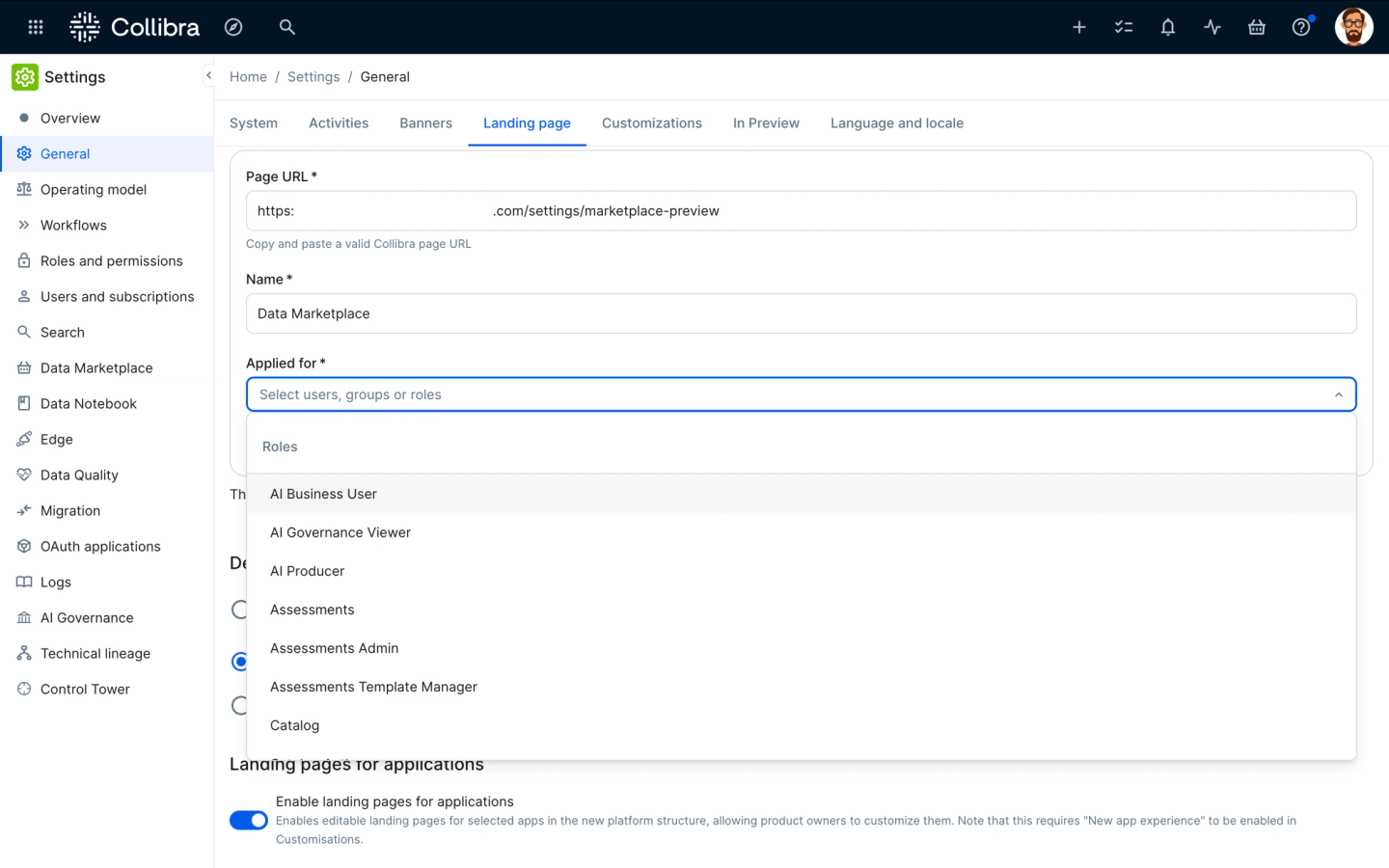
Generate a prioritized list of custom landing page rules with zero conflicts.
To add a rule, click Add another custom landing page, paste a valid Collibra page URL, provide a descriptive name, and select the target users, groups, or roles from the dropdown. Rules are evaluated top-to-bottom — the first matching rule wins. Rows can be reordered by drag-and-drop to control priority. Importantly, a group or role already assigned to one rule is automatically excluded from subsequent rules, making conflicts impossible at configuration time.
The default landing page (for users not matched by any custom rule) can be set to one of three options: the classic homepage, the new improved homepage, or last visited dashboard. Also new in 2026.06: the homepage flag has been moved from the console into settings, meaning admins no longer need console access to manage it.
When a user logs in or clicks the Home icon, the system evaluates the rule list in order and redirects them to their assigned page. Note: deep links (e.g., from email notifications) are unaffected — landing page logic does not override direct navigation.
Why you should be excited
With this release, we're moving beyond a one-size-fits-all entry point and giving every user a homepage that feels purpose-built for their role and responsibilities. By empowering administrators to design branded, intuitive landing pages and assign them dynamically based on user groups or roles, they get a more personalized, efficient and adoption friendly experience from the very first click. These new capabilities translate into direct value for key stakeholders across your organization, including the following specific role-based benefits:
System Administrators
- Enjoy full, code-free control over user entry point, directly from Settings, no console access required
- Assign landing pages to any user group, role, or individual in minutes
- Draft, preview, and publish homepage changes without disrupting live users
- Eliminate support tickets and workarounds related to default navigation behavior
Data Steward
- Land directly on your governance dashboard every time you log in or click Home
- See your open Tasks and Issues right from the homepage, no extra navigation
- Enjoy a consistent, predictable entry point that matches how you actually work
Business Analyst / Data Marketplace User
- Go straight to the Data Marketplace landing page the moment you log in — no detours through governance-centric defaults
- Experience faster time-to-value when onboarding; the platform immediately reflects your context
Executive / Data Leader
- Leverage a purpose-built homepage that can surface KPI dashboards, governance scorecards (via Counter widgets), and key links — all above the fold
- Ensure your Collibra entry point reflects your organization's brand and data governance program priorities
Use cases
- Drive user adoption with custom Collibra homepages: Organizations have diverse user groups, such as data stewards who need governance dashboards and business analysts who primarily use the Data Marketplace. Admins can create specific rules routing the Data Analysts group to the DM landing page and Data Stewards to the governance homepage. Each persona lands in the right place from day one — with no user training required.
- Accelerate onboarding with a dedicated experience. Use Page Builder to deploy a welcoming homepage featuring essential resources, active tasks, and pre-filtered search results. Automatically assign new hires to this view via custom rules, then seamlessly transition them to their role-specific homepage once they finish onboarding.
- Deliver actionable insights with an executive governance scorecard: Build a tailored homepage for executive stakeholders that leads with a Counter widget highlighting total governed assets, certified data products, and open issues. Pair this with a live organizational asset map and quick links to reports, ensuring executives get a high-level, meaningful snapshot the instant they log in.
Key takeaways
Together, the new homepage experience and custom homepage assignment represent a significant step forward in the usability of the Collibra Platform. These features directly address the most-requested customization capabilities from our customer community while also laying the foundation for a fully governed, persona-driven platform experience. Both capabilities are configured entirely through the Settings UI, putting meaningful control in the hands of administrators without requiring console access or technical customization. Whether you're looking to route business users to the Data Marketplace, build a branded governance entry point, or create an intuitive onboarding experience, these tools give you the building blocks to do it today.
Where to learn more about the new homepage experience and custom homepage assignment:

Maciej Rusek
Maciej Rusek
Product Manager
Collibra

Michael Rahm
Michael Rahm
Director, Product Marketing
Collibra

Jakub Jendrysik
Jakub Jendrysik
Staff Software Engineer
Collibra
Share on:
Keep up with the latest from Collibra
I would like to get updates about the latest Collibra content, events and more.
Thanks for signing up
You'll begin receiving educational materials and invitations to network with our community soon.